Time Blocking: The Method, the Variations, and the Buffer Rule Everyone Skips
By Jim Breese · · Updated
What is time blocking?
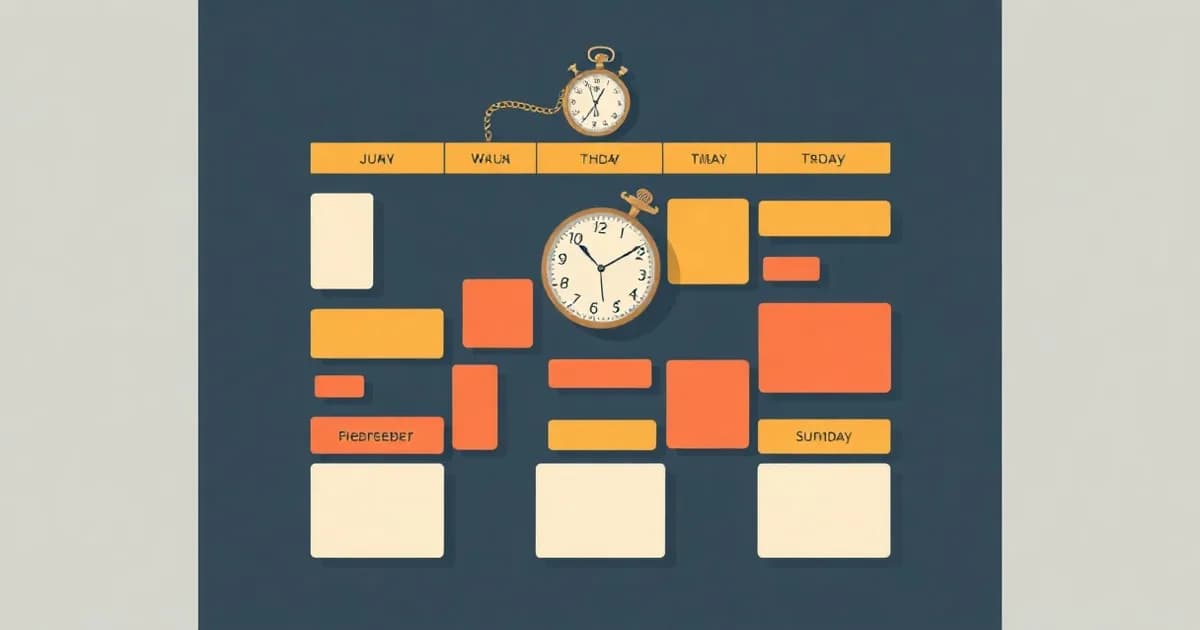
Time blocking is dividing your day into blocks of time, each one dedicated to a specific task or group of tasks, instead of working from an open-ended to-do list, per Todoist's guide to the method. Stanford's Center for Teaching and Learning describes the same underlying idea for students building a weekly plan: a calendar built in advance can help you "stay intentional about how you're spending your time."
The practical difference from a plain list is that a list only tells you what to do. A time-blocked calendar tells you when. That shift is also why the method cuts decision fatigue: once the week is already blocked out, you are not re-deciding what deserves your attention every hour, per Stanford, you are following a plan you already made while you had the clearer head to make it.
Neither source treats the calendar as a contract. Stanford calls it "a flexible decision-making tool," one you are meant to rearrange the moment something changes, not a schedule you are locked into. That distinction matters more than the mechanics, because most people who quit time blocking quit over the rigidity, not the concept.
How do you actually time block?
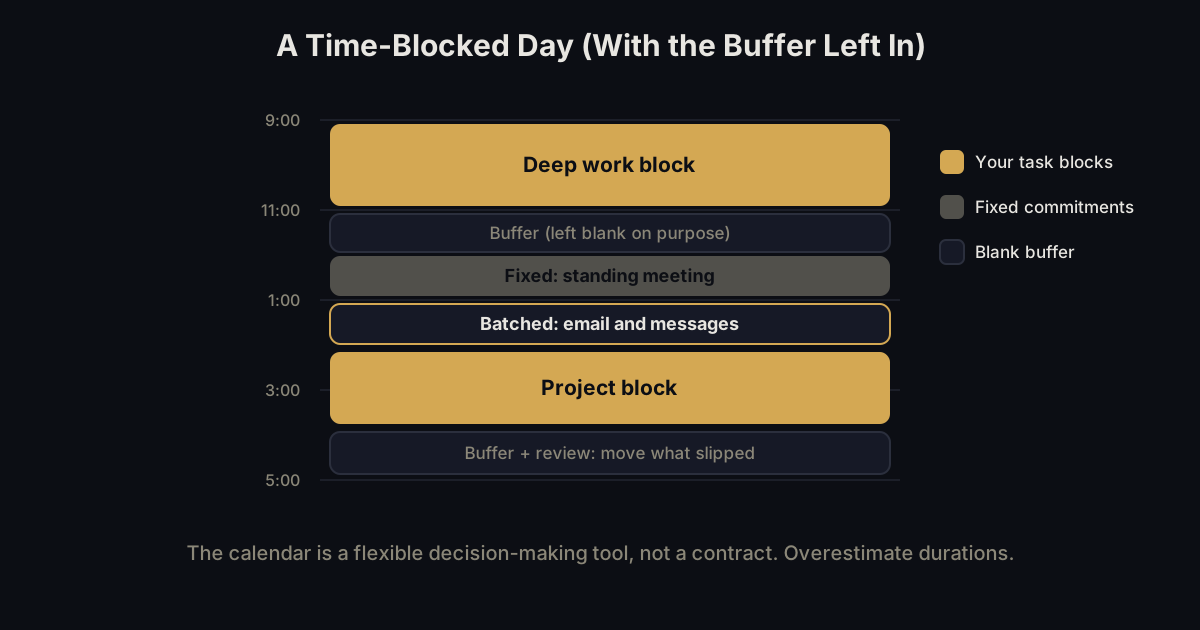
Both sources agree on the same underlying order, even though one is written for working adults and the other for students planning a semester. Get every task out of your head and into one list first, before touching a calendar. Todoist's guide calls this identifying your tasks, and it explicitly points to the Eisenhower Matrix as the tool for deciding which of them actually matter this week.
With the list built, put your fixed commitments on the calendar before anything else. Stanford's version of this step covers personal non-negotiables (sleep, meals, anything for your own well-being) plus classes, standing meetings, and appointments already on the books. Nothing task-related gets scheduled until those anchors are locked in, since they are not moving regardless of how the week goes.
Only then do task blocks go into what is left. Todoist calls this creating and scheduling work blocks in a planner or calendar; Stanford frames it as placing your to-do items into the open space around your fixed commitments, with bonus points, in its phrasing, for noting where and with whom you will do the work. The order is the whole trick: schedule what cannot move first, then fit flexible work around it, never the reverse.
The last step is a standing review. Todoist calls for reviewing and adjusting at the end of each day; Stanford's version pushes further and has you break each remaining to-do item into smaller pieces once the week is underway. Either way, the plan is meant to be revisited, not written once and abandoned to reality.
What are the variations on time blocking?
Todoist's guide names three variations worth knowing, each solving a slightly different problem. Task batching groups similar small tasks into one dedicated block instead of letting them interrupt you all day, the way two scheduled 20-minute email blocks beat checking your inbox constantly. Day theming assigns a theme to each weekday, so Mondays might be meetings, Tuesdays creative work, and Wednesdays admin, rather than mixing every type of work into every day.
Timeboxing is the variation most often confused with time blocking itself, and the two are not the same thing. Time blocking reserves a slot of time for a task without demanding a specific result inside it. Timeboxing fixes a hard limit and treats that limit as a completion target, Todoist's own example being "finish 1,000 words between 9-11 am." Time blocking protects the time. Timeboxing caps it and expects an outcome by the deadline.
That distinction is worth sitting with before picking either one. Reserve time when the work itself is open-ended and progress matters more than a finish line. Cap time when a task tends to expand to fill whatever room you give it, and a hard stop is the only thing that gets it done.
The buffer rule everyone skips
The single biggest reason time-blocked schedules fail is over-scheduling, and both sources treat it as the failure mode worth naming directly. Stanford's advice is blunt: "Leave yourself buffer time! Aim for at least 15 hours of entirely 'blank' space" across a week, and separately, "be sure to overestimate how long things will take you." A schedule with no blank space is not ambitious, it is fragile, since one long meeting or one slow task collapses everything scheduled after it.
Todoist's fix comes from the same direction with different wording: pad blocks with buffer time, and when a task overruns, reschedule the overflow instead of stretching the original block to absorb it. Letting one block quietly eat into the next is how a single delay turns into a day that no longer resembles the plan at all.
Both sources also agree on what buffer protects against, which is the plan itself becoming the thing you resent. Stanford's framing of the calendar as "a flexible decision-making tool" only holds if there is slack to move things into. A schedule packed edge to edge has nowhere left to put the thing that inevitably runs long, which is exactly when people abandon the method and blame time blocking instead of the over-scheduling that broke it.
What if your job is too reactive to block time?
Reactive work can still be time blocked, it just needs its own block instead of being treated as the exception to the whole method. Productivity researcher Cal Newport, quoted in Todoist's guide, argues that "periods of open-ended reactivity can be blocked off like any other obligation," which reframes the objection entirely: an hour set aside for email and interruptions is still a block, even though what happens inside it is not fixed in advance.
Newport's broader case for the method, also carried in Todoist's guide, is that structure produces more output than raw hours do: "a 40 hour time-blocked work week, I estimate, produces the same amount of output as a 60+ hour work week pursued without structure." The claim is about protecting a smaller number of deep-work hours inside a mostly reactive day, not about eliminating reactive work entirely.
Day theming, covered above, offers a lighter version of the same fix for someone whose job is reactive on some days and not others. Author Mike Vardy, also quoted in Todoist's guide, makes the case for naming what a day "means" in advance, so you are not deciding fresh each morning whether today is for meetings or for focus. A reactive job does not rule out time blocking. It just changes what goes inside some of the blocks.
Does time blocking work with ADHD?
It can, but the version most guides describe is exactly the version ADHD users report abandoning. A full weekly ritual, blocking every hour of every day, mirrors the same daily-planning-app pattern that shows up again and again in our ADHD calendar research: one ADHD user described trying a guided daily-planning app for a month, loving the weekly view, but quitting because it felt like "too much setup every day," since her brain "just wants to drop things in quickly and not overthink it."
That is not an argument against time blocking, it is an argument against doing all of it every day. The lightweight version keeps the core idea (some hours are spoken for in advance) without the daily ritual that ADHD brains tend to drop. Block two or three fixed anchors for the day, the meeting you cannot move, the block reserved for the one task that actually matters, and leave the rest as a drop-in list you work through as the day allows.
This mirrors the split covered in our ADHD calendar research more broadly: some brains want the full ritual and get real structure from it, others want to drop things in fast with almost no setup. Time blocking is not one-size-fits-all even among people without ADHD. For a mind that treats daily setup as a cost, two or three anchors is time blocking that survives past week one.
Where does the plan actually come from?
Stanford's own weekly method starts the task-scheduling half of the process with a plain instruction: on a separate list, write down every important task for the week, with a rough time estimate next to each one. That step is a brain dump with numbers attached, not a scheduling step at all. You cannot block time for a task that never made it out of your head, so capture has to happen before any calendar work does.
The same gap shows up in daily planning, not just the weekly version. How to plan your day covers the shorter version of this same capture-then-schedule order, and task management covers where a captured task actually lives once it has somewhere to go besides your head.
Saying the week out loud is faster than typing a list into any planner, which is the reason InstantOwl exists. Full disclosure: InstantOwl is our product, and this blog belongs to it. Talk through everything on your plate for the week, and get back a structured list to place into blocks yourself, not a calendar built for you. InstantOwl does not schedule anything and makes no claim to. It is currently free to use, and its job ends the moment your task list exists, right where the actual time blocking begins.
Related reading
- What is a brain dump: the capture step every time-blocked schedule depends on, done before any block gets placed.
- Eisenhower Matrix: how to prioritize your task list before deciding what earns a block.
- How to plan your day: the daily version of the same capture-then-schedule order.
- Task management: where a captured task lives once it has a home besides your head.
- The ADHD calendar problem: why full planning rituals get abandoned, and what a lighter version looks like.
Frequently asked questions
What is the time blocking method?
Time blocking is dividing your day into blocks of time, each one dedicated to a specific task or group of tasks, instead of working from an open-ended to-do list, per Todoist's guide to the method. Stanford's Center for Teaching and Learning describes the same core move for weekly student planning: a scheduled block instead of a list you might get to.
How is timeboxing different from time blocking?
Time blocking reserves a slot of time for a task without demanding a specific outcome inside it. Timeboxing fixes a time limit for finishing something and treats that limit as a completion target, for example finishing 1,000 words between 9 and 11 a.m., per Todoist's guide. Time blocking protects the time. Timeboxing caps it and expects a result.
How much buffer time should I leave when time blocking?
Leave more than you think you need. Stanford's Center for Teaching and Learning recommends at least 15 hours of entirely blank space across a week and says to overestimate how long each task will take. Todoist's guide adds the same fix from the other direction: pad blocks with buffer and reschedule what overruns instead of stretching the block that was already full.
Does time blocking work with ADHD?
It can, but only in a lightweight form. Full daily time-blocking rituals are what ADHD users report abandoning because the setup itself becomes the chore. A workable version blocks only two or three fixed anchors for the day and leaves the rest as a drop-in list, rather than scheduling every hour in advance.

Written by
Jim BreeseJim Breese is the founder of InstantOwl. He's spent 15 years building companies, from an Airbnb host community he founded and exited to growth leadership at venture-backed SaaS startups. He built InstantOwl because his best ideas kept arriving mid-walk, out of order, and half-finished.
Stop losing good ideas.
InstantOwl turns a rambling voice note into a clean, organized document in moments. Just talk. We'll organize it.
 Try InstantOwl free