Meeting Agenda Template: The Eight Fields That Earn Their Place
By Jim Breese ·

What goes in a meeting agenda?
Eight fields, and every one of them still earns its place after you cut everything else: a logistics header, attendees, the meeting's purpose or desired outcome, timeboxed items with an owner each, pre-reads, decisions needed, a parking lot, and action items. Microsoft's and Canva's template galleries converge on this shape, even though neither hands it over as a single checklist.
Microsoft's meeting agenda template gallery lists the fields shared across its weekly team, workshop, project, administrative, and school agenda templates: date, time, and location, participants, meeting objectives, discussion topics, time blocks, pre-reads, and action items.
Canva's agenda template gallery, showing 50 of thousands of templates, gives no field-level advice on the page itself. Its category list does the work instead: daily meetings, weekly team meetings, 1:1s, corporate meetings, and event schedules. The same core fields keep reappearing under every one of those formats.
Line those two sources up and add two practical sharpenings, decisions needed and a parking lot, and you get the eight fields worth including on any agenda:
- Logistics header: meeting name, date, time, and location or link.
- Attendees: who is required, who is optional.
- Purpose or desired outcome: one sentence describing what must be true when the meeting ends.
- Timeboxed items with an owner: each topic gets a time block and a name attached to it, not just a title.
- Pre-reads: anything attendees need to look at before the call starts.
- Decisions needed: which items end in an actual decision, not just a discussion.
- Parking lot: a place for off-topic items, so the timeboxes stay honest.
- Action items: the tasks and follow-ups the meeting produces.
Fields six and seven are not lifted directly from either vendor's page copy. They are the sharpening that makes "meeting objectives" and "discussion topics" hold up once a meeting runs long or gets derailed.
Microsoft's page frames the format itself as functional, not decorative: agendas use "editable sections, tables, and clear formatting to keep teams aligned," and organized layouts "set priorities and guide meetings seamlessly from start to finish." The gallery also scales complexity to length. A short check-in gets a handful of topics; a longer meeting gets the full structure, sections, time blocks, and every field above filled in.
Agenda vs. meeting notes vs. meeting minutes
An agenda comes before the meeting: it is the plan. Meeting notes are the informal capture during and right after the call. Meeting minutes are the formal, often-approved record, the kind a board or HOA requires a signature on. All three cover the same hour, but only one of them exists before anyone has spoken a word.
The agenda's job ends the moment attendees share the same plan. What happens once people start talking, and what gets filed afterward as the official account, are different problems with different owners and different formats.
If you are past the agenda and need the informal version, what to capture and what to skip is its own guide. If your meeting needs a formal, approved record instead, the heavier format boards and committees require is covered separately.
The meeting agenda template
Here is the eight-field structure above, laid out as a template you can copy directly into a doc or a notes app.
MEETING AGENDA

Meeting:
Date/Time:
Location/Link:

ATTENDEES
Required:
Optional:

PURPOSE / DESIRED OUTCOME
(One sentence: what must be true when this meeting ends.)


PRE-READS
-

AGENDA ITEMS
Item | Owner | Time | Decision needed?
-----|-------|------|-----------------


PARKING LOT
(Off-topic items raised during the meeting, addressed after or offline.)


ACTION ITEMS
Task | Owner | Due date
-----|-------|---------
Fill in the purpose line and pre-reads before you send the invite. The agenda items table and the parking lot get filled in during the call itself.
Get the template as PDF, Word, or Excel
Download the same template above as a print-ready file, or a version you can edit directly.
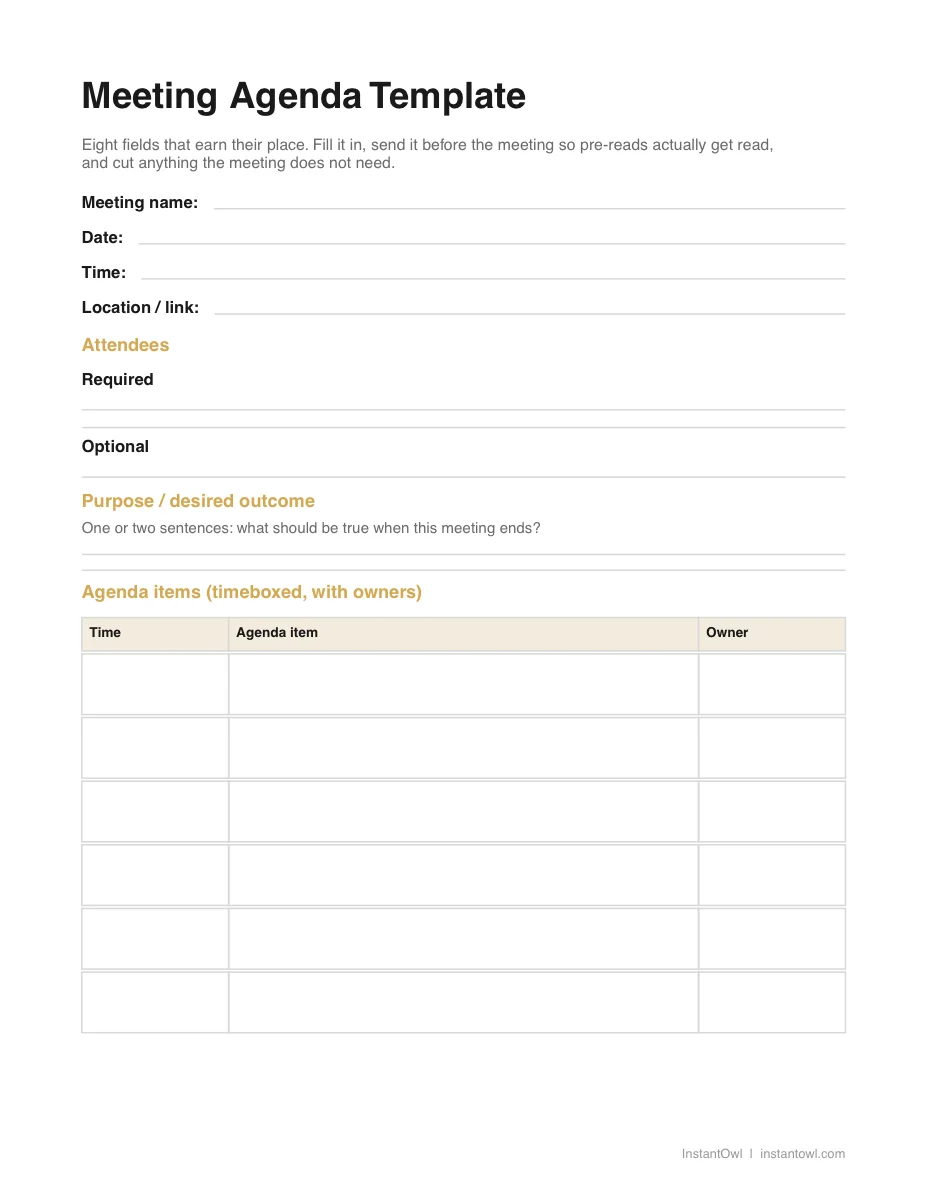
- PDF: print it or fill it on a tablet
- Word (DOCX): prefill the purpose and pre-reads before each meeting and reuse it as a doc
- Excel (XLSX): for the agenda items and action items tables, one row per item
The DOCX and XLSX files open directly in Google Docs and Google Sheets, no download or conversion needed.
When should you send a meeting agenda?
At least 24 hours before the meeting, earlier for anything with real pre-reads attached. Pre-reads are the one field on the list above that fails silently. Nobody tells you they did not read the document. They just show up not having read it, and the meeting spends its first ten minutes re-explaining what the agenda was supposed to make unnecessary.
An agenda that arrives when the meeting starts is a prop, not a plan. It might still list the right topics, but a plan nobody has seen cannot do the one job an agenda actually has: letting attendees show up already knowing what is expected of them.
The lead time matters most for field six, decisions needed. Flag which items end in a decision, and the people whose input actually matters have time to form an opinion before the call, instead of being asked to weigh in on the spot.
How is a one-on-one agenda different?
A one-on-one agenda is its own category, not a smaller version of a team meeting agenda. Canva's agenda template gallery treats 1:1 meeting docs as a distinct, recurring template type alongside daily and weekly team meetings, which matches how they actually get used: the same document, reopened and added to every week, rather than a fresh agenda built from scratch each time.
Canva's search results also surface multiple 1:1 doc variants, more than it shows for a single team meeting agenda. That tracks with how the format actually gets used: a team agenda is usually built fresh each time, while a 1:1 doc is the same file, reopened and extended week after week rather than replaced.
The eight fields above still apply, but purpose and attendees shrink to almost nothing (it is the same two people, and the purpose is usually "check in"), while agenda items and action items carry more weight because they roll over from the last one-on-one. For the full breakdown, see the one-on-one meeting template, including who should set the agenda and what to cover on a recurring basis.
What happens after the agenda is done?
The agenda's last field, action items, is usually the one still blank when the meeting ends, because someone has to sit through the whole conversation and write down what actually got decided. The decisions-needed field from earlier in the agenda is the fastest way to find them again: whatever got flagged as a decision is exactly where the action items are hiding.
Full disclosure: InstantOwl is our product, and this blog belongs to it. Talk through it for two minutes right after the meeting ends, before the next one starts: what got decided, what you owe someone, what is still open, who owns what. InstantOwl turns that ramble into organized notes with the action items pulled out automatically. InstantOwl is currently free to use.
Frequently asked questions
What should a meeting agenda include?
Per Microsoft's and Canva's template galleries, a meeting agenda needs eight fields: a logistics header, attendees, the purpose or desired outcome, timeboxed items with an owner, pre-reads, decisions needed, a parking lot, and action items. Fewer fields work for a short meeting, but nothing on the list is optional once a meeting runs past thirty minutes.
How do I write a simple agenda?
List the meeting's purpose in one sentence, then three to five discussion items with a time block and an owner next to each, and end with a spot for action items. Skip attendees and pre-reads for a quick internal check-in, then add them back once the meeting involves people outside your immediate team.
When should you send the agenda?
Send it at least 24 hours before the meeting, earlier if it includes pre-reads. An agenda that arrives when the meeting starts cannot do its job, since attendees have had no time to read anything or prepare, and pre-reads only work if there is time to read them first.
What is a parking lot in a meeting?
A parking lot is a spot on the agenda for topics that come up but were not on the plan for that meeting. Instead of letting an off-topic question derail a timeboxed item, it gets written into the parking lot and addressed after the meeting or at the next one.
Related reading
- Meeting notes: what to capture and what to skip: the informal capture that follows an agenda through the meeting itself.
- Meeting minutes: the formal record format: the approved, signed version boards and committees require.
- One-on-one meetings: the recurring 1:1 agenda: its own header, check-in, and dual next steps.
Frequently asked questions
What should a meeting agenda include?
Per Microsoft's and Canva's template galleries, a meeting agenda needs eight fields: a logistics header, attendees, the purpose or desired outcome, timeboxed items with an owner, pre-reads, decisions needed, a parking lot, and action items. Fewer fields work for a short meeting, but nothing on the list is optional once a meeting runs past thirty minutes.
How do I write a simple agenda?
List the meeting's purpose in one sentence, then three to five discussion items with a time block and an owner next to each, and end with a spot for action items. Skip attendees and pre-reads for a quick internal check-in, then add them back once the meeting involves people outside your immediate team.
When should you send the agenda?
Send it at least 24 hours before the meeting, earlier if it includes pre-reads. An agenda that arrives when the meeting starts cannot do its job, since attendees have had no time to read anything or prepare, and pre-reads only work if there is time to read them first.
What is a parking lot in a meeting?
A parking lot is a spot on the agenda for topics that come up but were not on the plan for that meeting. Instead of letting an off-topic question derail a timeboxed item, it gets written into the parking lot and addressed after the meeting or at the next one.

Written by
Jim BreeseJim Breese is the founder of InstantOwl. He's spent 15 years building companies, from an Airbnb host community he founded and exited to growth leadership at venture-backed SaaS startups. He built InstantOwl because his best ideas kept arriving mid-walk, out of order, and half-finished.
Stop losing good ideas.
InstantOwl turns a rambling voice note into a clean, organized document in moments. Just talk. We'll organize it.
 Try InstantOwl free