Voice To-Do Lists: Every Real Option, Compared
By Jim Breese · · Updated
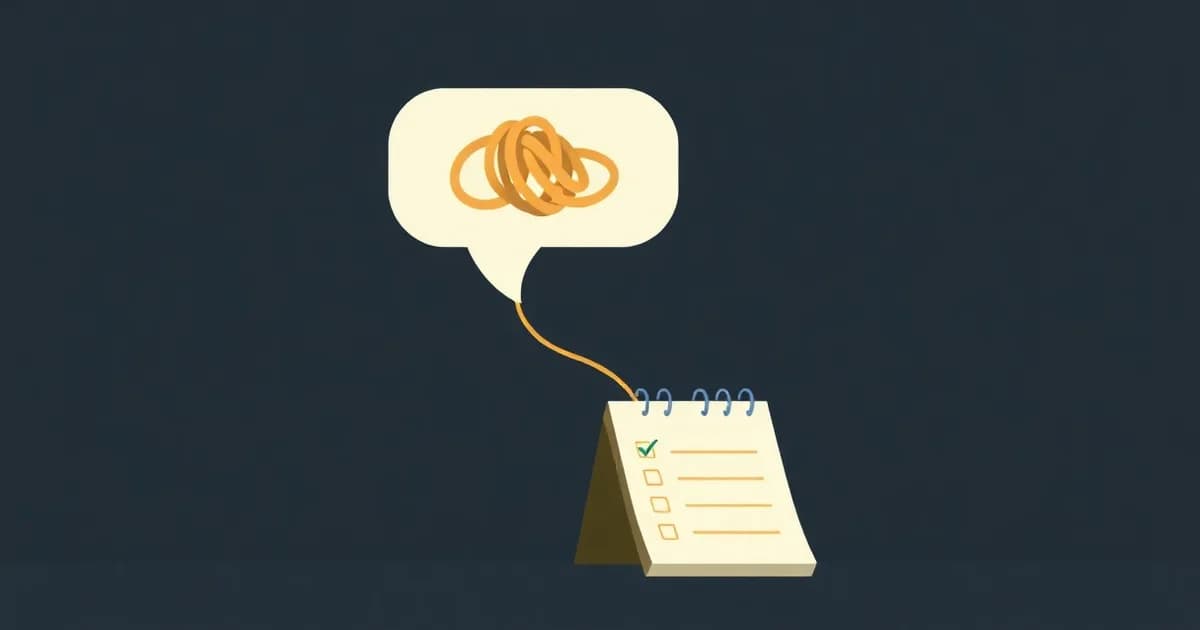
Can you make a to-do list by talking?
Yes, and there are four real ways to do it: built-in assistants, voice features inside big task apps, small dedicated voice apps, and AI tools that turn a whole rambling recording into a structured list. Each one solves a different slice of the same problem, and none of them is a fake option, so it is worth knowing what each is actually good at before picking one. The stakes are highest for anyone whose hands are full when the task lands, like a contractor walking a jobsite and building a punch list out loud.
The clearest description of the problem comes from the people searching for it. One Reddit poster in r/ProductivityApps described it this way: "Important stuff pops into my head and I want to note it down quickly, but by the time I sit down to write it on a list, it's gone." They said they wanted "something that uses decent AI to do voice to text and can be called from Siri."
That thread ran for months, drew 23 comments naming more than a dozen different apps, and never landed on a clear winner. A later commenter asked what the original poster ended up choosing and got no answer. The demand for a good voice to-do list is real. The market answering it is scattered across built-in tools, big apps with voice bolted on, and a swarm of small indie apps.
Can Siri or Google Assistant make a to-do list?
Yes, but only one task at a time, and only with fairly exact phrasing. Apple's own examples for Siri and Reminders include "Remind me to feed the dog every day at 7:30 a.m." and "Remind me tomorrow at 3:00 p.m. to call Tara," per Apple's support page. Siri can also set location-based reminders once your home or work address is saved to your contact card, and Reminders itself supports subtasks, attachments, tags, and flags once the reminder exists.
Siri's real catch is consistency, not capability. Apple's own documentation states plainly that "Siri availability, features, and commands vary by language, country, and region," so a phrase that works on one phone, in one country, is not guaranteed to work the same way on another.
Google Assistant does the equivalent job with Google Tasks. Say "Hey Google, set a task" or "Hey Google, remind me to call Mom at noon tomorrow," and it becomes an editable task. You can complete it by voice too, saying something like "mark my task to buy milk as completed," or delete it the same way, per Google's support page.
Google gates its newer AI actions tightly. Per its own page, "AI-supported actions are only available in English, in the United States, and to users 18 and over." Google also adds a caveat worth taking seriously, since it comes from Google about its own product: "AI can hallucinate and make mistakes, so double check your tasks in the Google Tasks app."
Both tools are built for the same job: one clear command, said correctly, becomes one task. Neither is built to take five tangled thoughts, said out of order in a single breath, and split them into five separate tasks.
Can you talk to Todoist?
Yes, in two different ways. The older way is through Siri: per Todoist's own help article, every request has to end with "in Todoist," as in "Add call the dentist in Todoist" or "Add call the dentist to my errands list in Todoist." One specific quirk stands out: Siri does not recognize the word "project" inside a Todoist command, so you have to say "list" instead. This Siri integration also does not work on macOS, Apple Watch, or CarPlay.
Todoist's newer and more interesting answer is Ramble, an AI feature built for exactly this problem. Per Todoist's help docs, Ramble "listens, transcribes, and captures actionable tasks in real time" from one natural, unscripted recording, pulling out task names, dates, projects, and priority levels, and splitting a single ramble into several separate tasks at once. It runs on web, desktop, iOS, Android, and Wear OS in beta, and needs an internet connection and a microphone. Of everything a major task app has built, Ramble is the closest thing to what this entire post is about.
Ramble has a real limit worth knowing before you lean on it. Todoist's free and Beginner plans are capped at 10 Ramble sessions a month, per its own documentation, with unlimited sessions reserved for paid Pro and Business plans. Deadline and duration extraction from a ramble are also paid-plan-only features.
Are there small apps built just for voice to-do lists?
Yes, though the field is thin and nobody dominates it. The Android app literally named "Voice To Do List" (package com.nv.todolist, built by a solo developer) is free, stores tasks only on the device, and states plainly on its Play Store listing that it collects no data and shares none with third parties. It has 500+ downloads and no star rating displayed yet. Its listed features are voice recognition to add tasks, no login required, and local-only storage. It transcribes one spoken task at a time and does not use AI to structure anything.
The exact-match domain voicetodolist.com belongs to a different app called Vozly, built for iPhone, iPad, and Mac (there is no Android version). Its mechanic is holding a mic button and speaking naturally, covering to-do items with deadlines and priorities, notes, a diary, and dream logs, plus a Pomodoro timer and a home screen widget. Vozly's own pitch, that "the average person speaks 3x faster than they type," is a fair and verifiable claim. Per its own site, it is priced Free with a Pro tier from $0.99 a month, and it supports 7 languages.
The same Reddit thread surfaced a long tail of other small, self-promoted voice-to-task apps, most sitting at zero or one upvote: names like TasklingDo, Codot, Briefmatic, and AudioJot came up alongside a few bigger names like TickTick and Superlist. None of them drew any real consensus. Both Vozly and the Android app are honest about what they are: small, single-purpose dictation tools. Neither claims to be more than that.
What if you build your own capture pipeline?
Some people already solve this by hand, without waiting for a dedicated app. In that same Reddit thread, one commenter described their actual workflow in one sentence: "i use otter to just dictate a whole bunch of stuff then export to chatgpt and tell it to make me a list."
That is three separate apps and two manual export steps, repeated every single time a thought needs turning into a task list. It works, in the sense that it produces a list. It is also proof that the demand for an automated version of that exact pipeline is real: someone built it by hand rather than wait for an app to do it for them.
Where does InstantOwl fit?
Full disclosure first: InstantOwl is our product, and this blog belongs to it. InstantOwl is the ramble-to-tasks lane: you speak the whole messy thought the way it actually comes out, several ideas tangled together and out of order, and it comes back as a structured task list plus any notes that came with it. There is no command phrasing to memorize and no "in Todoist" suffix to get right.
The closest comparison is Todoist Ramble, since it is the nearest thing a major app has built to the same idea. Ramble does genuine AI structuring of a ramble into multiple tasks, which is a real and useful feature. Free and Beginner Todoist accounts are capped at 10 Ramble sessions a month, though. InstantOwl's ramble-to-tasks capture has no session cap built in, and InstantOwl is currently free to use.
Honesty cuts the other way too. In that same Reddit thread, a second person later asked what app the original poster had picked, adding one more requirement of their own: they wanted the resulting list to "end up in my notes, not held within a new app." That is a fair complaint, and InstantOwl does not fully solve it today. Output lives inside InstantOwl, and you copy or export it to wherever it needs to go next. We do not claim a native Todoist or Reminders integration, because we do not have one yet.
What InstantOwl does solve is the exact moment the original Reddit poster described: the idea that "pops into my head" and is "gone" by the time there is a chance to sit down and write it out. Speak it the second it shows up, however tangled or out of order, and get an organized task list back instead of a wall of transcript to sort through alone. InstantOwl is currently free to use.
Related reading
- AI to-do lists compared: a wider look at AI task apps, including the schedulers and coaches this post does not cover.
- What is a brain dump: why speaking a whole messy thought out loud beats typing it in, one line at a time.
- ADHD apps that people actually keep using: honest picks for capture, tasks, and focus when memory is the real constraint.
Frequently asked questions
Can Siri make a to-do list?
Yes, one task at a time. Say something like 'Remind me to call Tara tomorrow at 3 p.m.,' and Siri adds it to Apple Reminders, per Apple's own examples. Siri availability and exact phrasing vary by language, country, and region, per Apple's support page, so the same command does not always work identically everywhere.
Can I talk to Todoist?
Yes, two ways. Siri can add a task if you end the request with 'in Todoist' and say list instead of project, per Todoist's help docs. Todoist's newer Ramble feature lets you speak a whole ramble and AI extracts multiple structured tasks from it, though free and Beginner plans are capped at 10 Ramble sessions a month.
What app turns rambling into a task list?
Todoist's Ramble feature does this on a limited basis, capped at 10 sessions a month on free plans. InstantOwl does the same job without a session cap: speak a whole messy, out of order thought and get back a structured task list plus any notes that came with it. InstantOwl is currently free to use.
Is there a free voice to-do list app?
Yes. Apple's Reminders and Google's Tasks are both free and already built into your phone. The Android app Voice To Do List is a free, local-only dictation utility. Vozly, at voicetodolist.com, is free with a paid Pro tier from $0.99 a month. InstantOwl is currently free to use.

Written by
Jim BreeseJim Breese is the founder of InstantOwl. He's spent 15 years building companies, from an Airbnb host community he founded and exited to growth leadership at venture-backed SaaS startups. He built InstantOwl because his best ideas kept arriving mid-walk, out of order, and half-finished.
Stop losing good ideas.
InstantOwl turns a rambling voice note into a clean, organized document in moments. Just talk. We'll organize it.
 Try InstantOwl free