Whisper vs Otter: An Open-Source Model Against a Meeting Bot
By Jim Breese · · Updated
What is the real difference between Whisper and Otter?
Whisper is a model, not an app: OpenAI describes it in its own GitHub README as "a general-purpose speech recognition model," released under the MIT license, that you download and run yourself. It turns an audio file into text and nothing else. Otter.ai is a commercial service: it joins your meetings, labels speakers, and writes summaries, for a monthly fee once you outgrow the free tier.
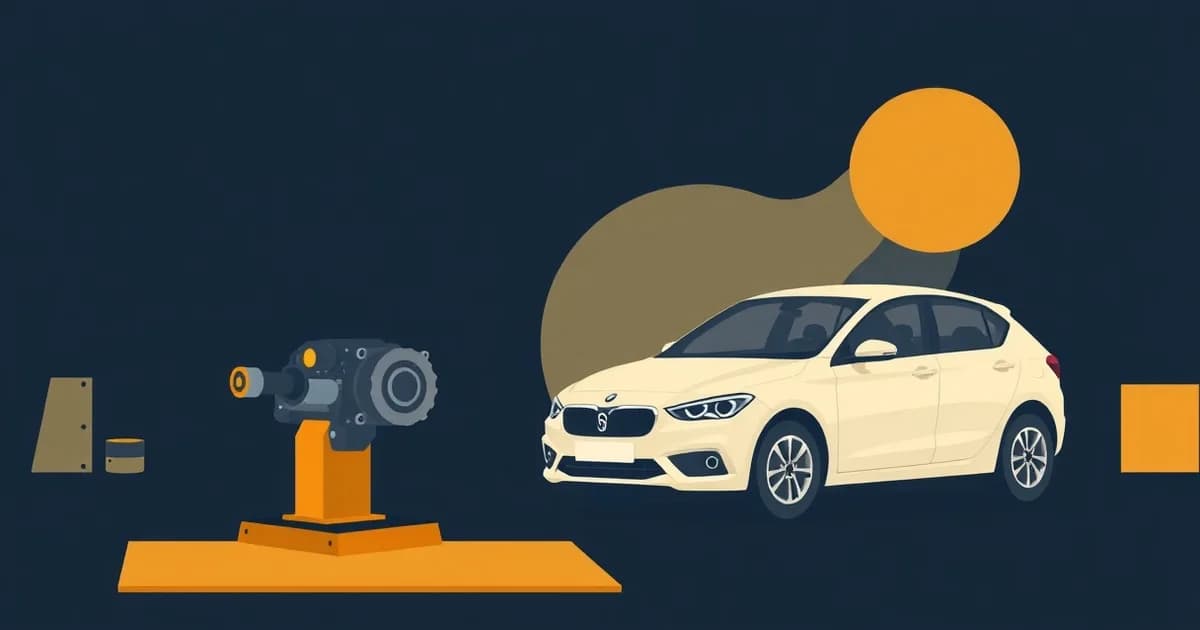
That difference is the whole post. As Deepak Gupta put it in a 2026 roundup of transcription tools, "Whisper is a speech recognition model, not a transcription product." It needs a wrapper (an app built around it) before it looks anything like Otter. Comparing raw Whisper to Otter is comparing an engine to a finished car: one is a component, the other is something you can drive today.
Neither framing makes one "better." A writer with a folder of voice memos wants the engine: free, private, no subscription. A team that needs a bot to sit in on a client call wants the finished car: no setup, live transcript, speaker names attached. The rest of this post treats both fairly.
What is OpenAI Whisper, exactly?
Whisper is OpenAI's open-source speech-recognition model, and it is genuinely free: its code and model weights carry an MIT license, per the official repo, which had passed 107,000 GitHub stars as of this writing. Free here means free as in cost and free as in permission to modify it, not a limited trial.
You install it with pip install -U openai-whisper plus the audio tool ffmpeg, then run it from the command line or a Python script. There is no window to click into, no record button, no account. It comes in six sizes, five of them ranging from tiny (39 million parameters, about 1GB of graphics memory, roughly 10 times real-time speed) up to large (1.55 billion parameters, about 10GB of graphics memory, real-time speed), plus a turbo variant tuned for speed.
What the README does not mention is just as telling. Whisper ships with no speaker labels, no live streaming mode, no summaries, and no interface of any kind. That gap between "transcribes audio very well" and "acts like Otter" is exactly what the wrapper apps in the next section exist to close.
What apps actually run Whisper for you?
Most people who want Whisper's quality without the command line reach for a wrapper app, and pricing across them varies from free to a one-time fee. MacWhisper, built by Jordi Bruin, is the most complete option on Mac: a free tier that runs full local transcription forever, and a Pro tier priced today at 64 euros as a one-time purchase with lifetime updates, per its official site, checked while writing this. Checking out through Gumroad converted that to roughly 74 US dollars on the day this was verified, since Gumroad bills in the currency your card uses. Price this: an old Reddit post from 2024 quoted MacWhisper at 40 dollars for a lifetime license, and a mid-2025 newsletter quoted roughly 79 dollars. All three numbers were accurate the day someone wrote them down. Check the current price yourself before buying anything.
There is a trap worth naming here. A separate product called "Whisper Transcription" sells on the Mac and iOS App Stores, made by the same developer, but priced as a weekly, monthly, or yearly subscription instead of a one-time purchase, per MacWhisper's own documentation untangling the two. The iOS version of that app is free to use for all its local models; the subscription only unlocks optional cloud features. If a Reddit comment praises "Whisper Transcription, free on-device," that is this app, not the one-time MacWhisper Pro license.
If you would rather not run anything locally, OpenAI also sells hosted access to the same underlying technology by the minute. Its current transcription pricing runs about $0.006 per minute of audio (about 36 cents an hour) for its standard model, with a cheaper mini model at half that rate, per OpenAI's pricing documentation. That is a middle path: no local setup, but you pay OpenAI directly instead of running a monthly meeting-bot subscription. If you already have a file sitting on your computer rather than a live call to join, our guide to converting audio into text covers the full field of tools built for exactly that job, Whisper-based and otherwise.
On Linux, nerd-dictation offers a fully offline path built on the open-source Vosk engine rather than Whisper itself, per its GitHub repo; it downloads its model locally and never sends audio anywhere, though its output is all lowercase and it is a tinkerer's tool, not a polished app. The open-source Whisper-wrapper scene keeps shifting underneath it too: Whispering, a well-liked free app, was archived in February 2026 and folded into a successor project. Date any specific open-source recommendation you read, this one included, before trusting it.
What does Otter give you that Whisper does not?
Otter gives you a meeting bot, live transcription, and a service that runs without your computer doing any of the work. Per otter.ai's pricing page, the free Basic plan includes 300 transcription minutes a month, 30 minutes per conversation, and 3 lifetime file imports. Pro costs $16.99 a month, or $8.33 a month billed annually, for 1,200 minutes a month and a 90-minute cap per meeting. Business runs $30 a month, or $19.99 a month billed annually, for teams that need more.
That subscription buys real things raw Whisper cannot: a bot that joins your calendar and auto-joins Zoom, Google Meet, or Microsoft Teams calls, a live transcript you can watch scroll in real time, speaker identification built in from the first minute, and a summary with action items waiting when the call ends. None of that exists in the Whisper model itself, and only some of it shows up in wrapper apps: MacWhisper Pro, for instance, adds local speaker recognition on Apple Silicon Macs and can record system audio during a meeting, but nothing in the Whisper ecosystem auto-joins a call from your calendar the way Otter does.
The other side of that same coin is where your audio goes. Whisper, run locally, never sends audio anywhere: MacWhisper's own site puts it plainly: you can "process sensitive content locally without data ever leaving your Mac." Otter is a cloud service by design: your audio and transcripts live on Otter's servers so the summary, search, and sharing features can work at all. Neither approach is wrong, they are just built for different comfort levels with where a recording ends up.
Is Whisper actually cheaper than Otter over time?
Yes, if you already own a computer that can run it, and the gap only widens the longer you keep paying. Otter Pro billed annually comes out to $8.33 a month, or $99.96 a year. Multiply that by five years and Otter Pro costs about $499.80, with nothing left over at the end but a cancelable subscription. A one-time MacWhisper Pro license, at today's 64-euro price, is paid once and keeps working with no renewal.
The comparison scales further out for teams. Otter Business billed annually runs $19.99 a month per person, or $239.88 a year; over five years that is about $1,199.40 per seat, before adding a second person. A local Whisper setup has no per-seat cost at all, since anyone with the free model and a laptop can run it.
The OpenAI-hosted path lands in between. At about $0.006 a minute, Otter Pro's $99.96 annual fee would buy roughly 277 hours of hosted API transcription instead, math you can redo yourself against your own audio volume. If you transcribe more than a few hours a month, a flat subscription like Otter's starts to make more sense than paying per minute; if you transcribe rarely, the per-minute model or a free local wrapper both beat a subscription outright.
Should you pick Whisper or Otter?
Pick based on whether you are working with files or attending meetings, not on which name is more familiar. If you already have audio, care about privacy, and do not want a recurring bill, Whisper through a wrapper like MacWhisper or Whisper Notes is the better fit: it runs on your machine, costs nothing ongoing after a one-time purchase, and never sends a recording anywhere. If you need to be present in a live meeting with the bot doing the listening, speaker labels attached automatically, and a summary the moment the call ends, that is a job Whisper alone cannot do, and Otter (or a similar meeting service) is the honest answer.
The enthusiasm for local Whisper tools is real and organized, not a niche curiosity. On r/macapps, a June 2026 thread where the original poster tested more than ten local speech-to-text apps drew detailed, unpromotional replies naming FluidVoice and Handy as free, open-source, fully local picks, with one tester adding a note about model choice: "If you can run Parakeet model it is far more accurate and much faster. V2 for English speakers V3 for the rest of the world." That is a community actively comparing local models against each other, the same way you might compare Otter to a competing meeting bot, just one layer further from the finished product.
Where InstantOwl fits in
Full disclosure: InstantOwl is our product, and this blog belongs to it. InstantOwl is neither of these things. It is not a local model you install and run yourself, and it is not a meeting bot that joins calls. It is built for a different moment: the voice note you record when you are thinking out loud, not attending a meeting or transcribing a file you already have.
Raw Whisper hands you back a transcript of exactly what you said, word for word. Otter hands you a meeting recap. InstantOwl takes a rambling recording and turns it into organized notes, tasks, or a plan, the step neither Whisper nor Otter is built to do. If you are comparing every way to turn audio into text first, our full breakdown of transcription options covers the wider field beyond just these two. InstantOwl is currently free to use.
If open-source, offline, or privacy-focused tools are what you are actually shopping for, and Dragon NaturallySpeaking is part of that search, our map of Dragon alternatives by use case covers the same open-source and offline territory from a different angle, including tools that work entirely without a subscription.
Related reading
- How to transcribe audio to text: every real option, priced and compared, not just Whisper and Otter.
- MP3 to text: eight ways to convert an existing audio file, with exact free limits.
- Dragon NaturallySpeaking alternatives: the open-source and offline dictation landscape, mapped by what you actually need.
Frequently asked questions
Is Whisper free?
Yes. OpenAI released Whisper's code and model weights under the MIT license, per its GitHub README, so you can download it, run it, and modify it at no cost. You supply the computer; OpenAI also sells a hosted version of the same technology by the minute if you would rather not run it yourself.
Is Whisper better than Otter?
Neither is better; they do different jobs. Whisper is a model you run on files, with no interface, no speaker labels, and no meeting bot. Otter is a subscription service built to join live calls and hand you a summary afterward. Pick Whisper if you have audio files and want privacy and zero cost; pick Otter if you need something to sit in your meetings.
Can Whisper transcribe meetings live?
Not by itself. The base Whisper model, per its own README, transcribes audio you feed it; it does not join a call, stream live text, or label who is speaking. Some wrapper apps add meeting and system-audio recording on top of Whisper, but that live-capture layer comes from the wrapper, not from Whisper itself.
What is the best Whisper app?
It depends on your platform and budget. MacWhisper (Mac, a one-time purchase per its official site, checked today) is the most complete wrapper. Whisper Notes (iPhone and Mac, a small one-time purchase) is the simplest. Free open-source options like FluidVoice and Handy exist too, though the open-source landscape changes fast, so check a project is still maintained before installing it.

Written by
Jim BreeseJim Breese is the founder of InstantOwl. He's spent 15 years building companies, from an Airbnb host community he founded and exited to growth leadership at venture-backed SaaS startups. He built InstantOwl because his best ideas kept arriving mid-walk, out of order, and half-finished.
Stop losing good ideas.
InstantOwl turns a rambling voice note into a clean, organized document in moments. Just talk. We'll organize it.
 Try InstantOwl free